 Lab Dancer
For organisations with several branches
One school, many branches: everything under control
With a master account the main school creates and manages its own branches. Each branch uses the app on its own with its dancers, while the main school sets the common rules and sees everyone’s agenda.
My branchesCreate branches, invite them by email and decide how long they stay active.
Shared teachersAssign your teachers to each branch, starting with whoever lives closest.
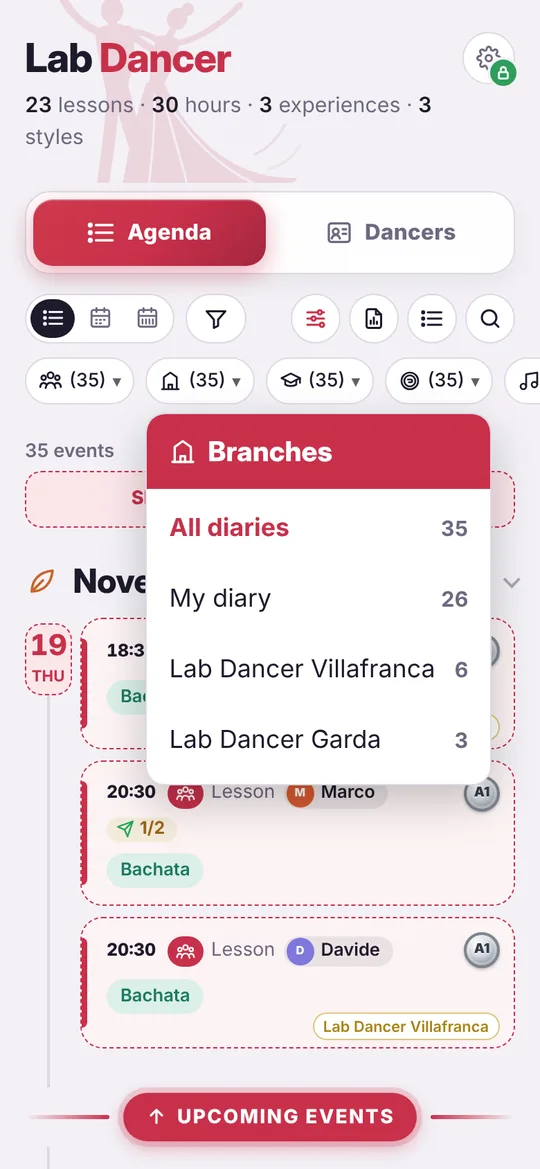
Every branch’s agendaThe events of every branch in your agenda, with a filter by branch.
People with accessFront desk and teachers sign in with their own email: full access, teacher or read-only.
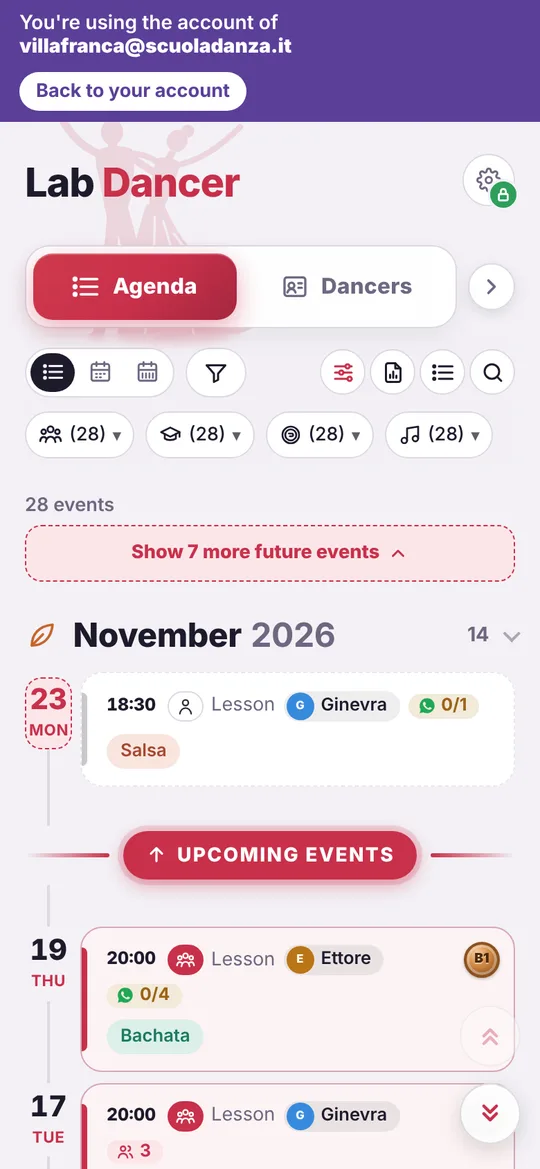
Open any branchWith «Open as» you open the app as the branch: check and fix its data, then go back to your account.
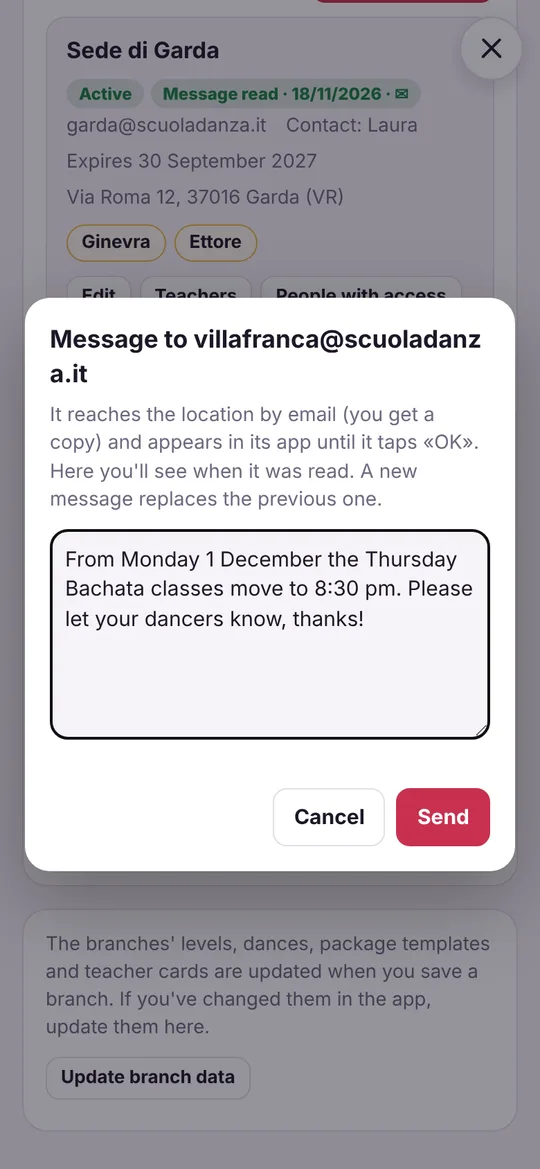
Messages to branchesWrite to a branch: it gets it by email and in the app, and you see when it was read.
- Levels, dances and package templates are set by the main school: every branch uses the same ones and can’t change them.
- Each branch has its own dancers, lessons and packages sold: the data stays separate.
- A branch can ask for a new teacher: the request also arrives by email and the main school approves or declines it.
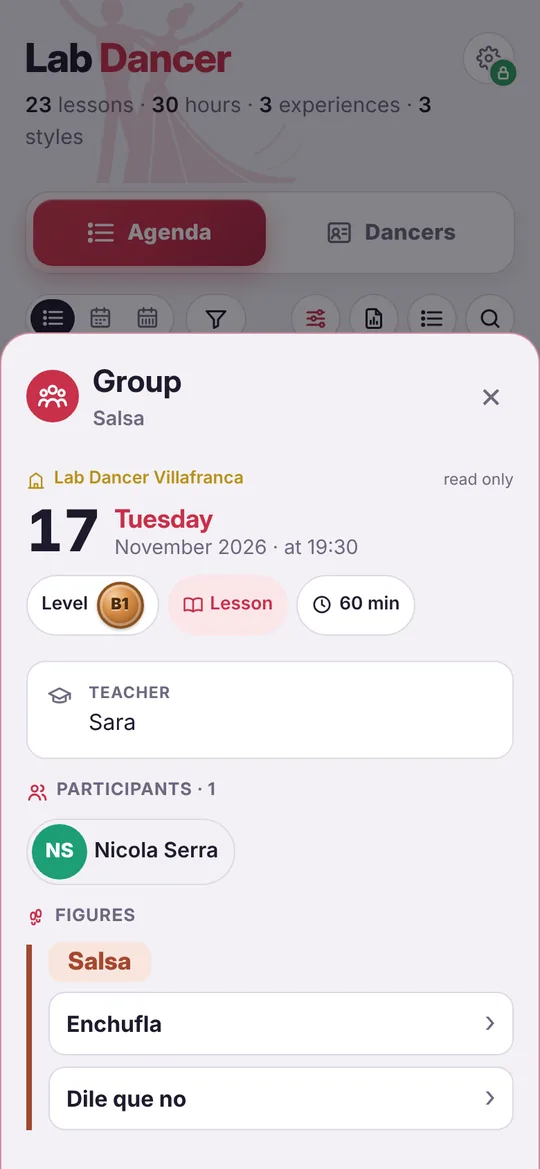
- Branch events are read-only for the main school and carry a label with the branch name.
- Both the main school and each branch can give other people access with different roles: full access, teacher (no packages or settings) or read-only. The main school can also manage the people of every branch.
Want to enable branches for your organisation? Write to us →
Branches, up close
Step into a branch and talk to it, no phone calls needed
From the «My branches» page the main school can help each branch as if it were there: open its app to check or fix things, and send messages that don’t get lost.
- Open as: open the app with the branch’s data and permissions. A purple bar reminds you whose account you’re in, and one tap takes you back to yours.
- You can only open your own branches and every access is logged: each branch stays in charge of its data.
- Message: the branch finds it in the app until it taps «OK» and also gets it by email, with your name as the sender. Replies come straight to you.
- Next to each branch you see whether the message is unread or read, with the date; you get a copy of the email.
Want to enable branches for your organisation? Write to us →
Try it free for 30 days, no credit card needed. Free trial →